Order management app for small shops: track every order from received to delivered
Create orders, move them stage by stage, and let customers follow progress on a link you share on WhatsApp.
No card needed. Works on your phone.
What Stellar Forge Orders does
Order management for small shops.
Your own stages
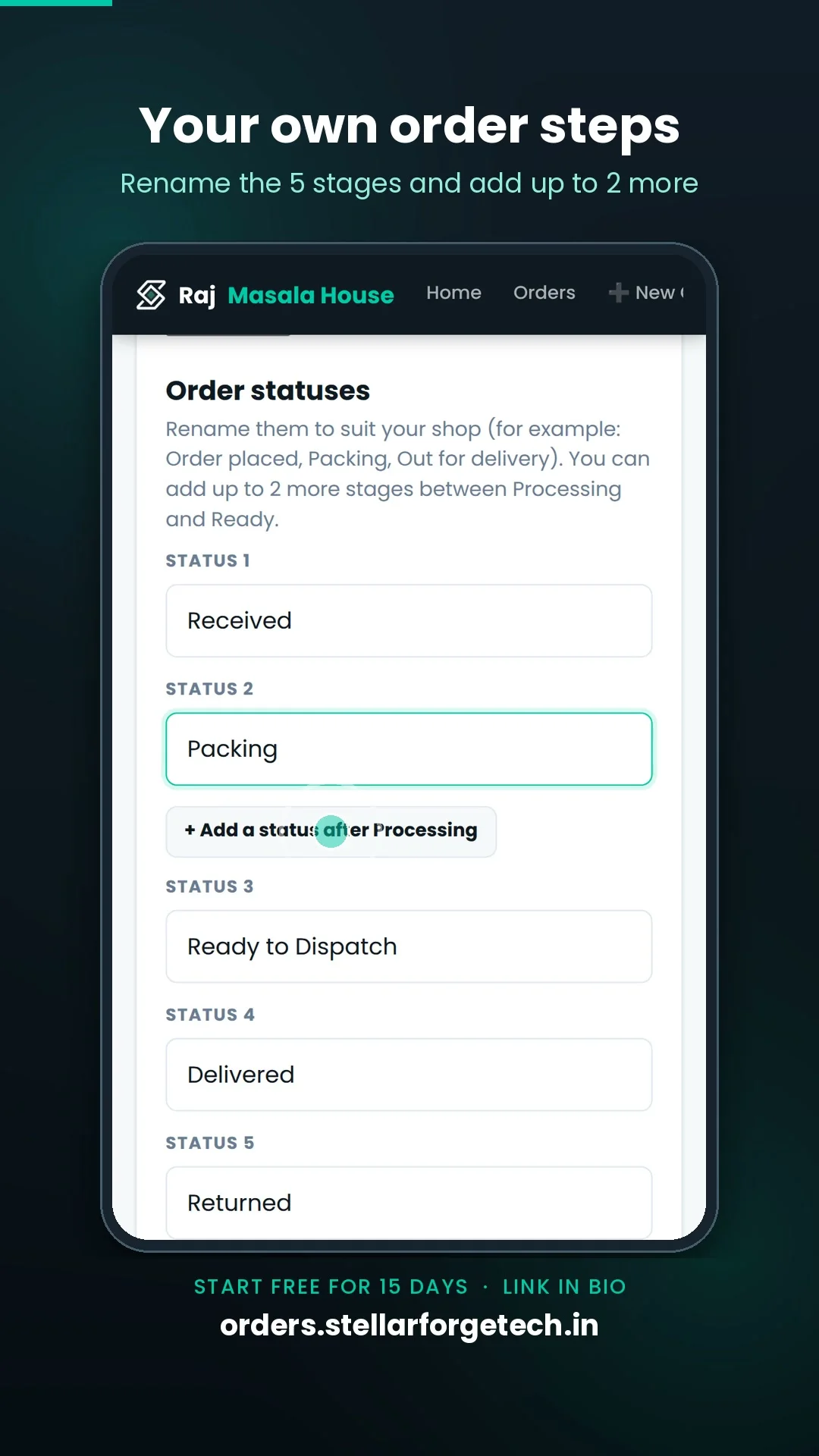
Five core stages (Received, Processing, Ready to Dispatch, Delivered, Returned). Rename them to suit your shop and add up to two more custom steps.
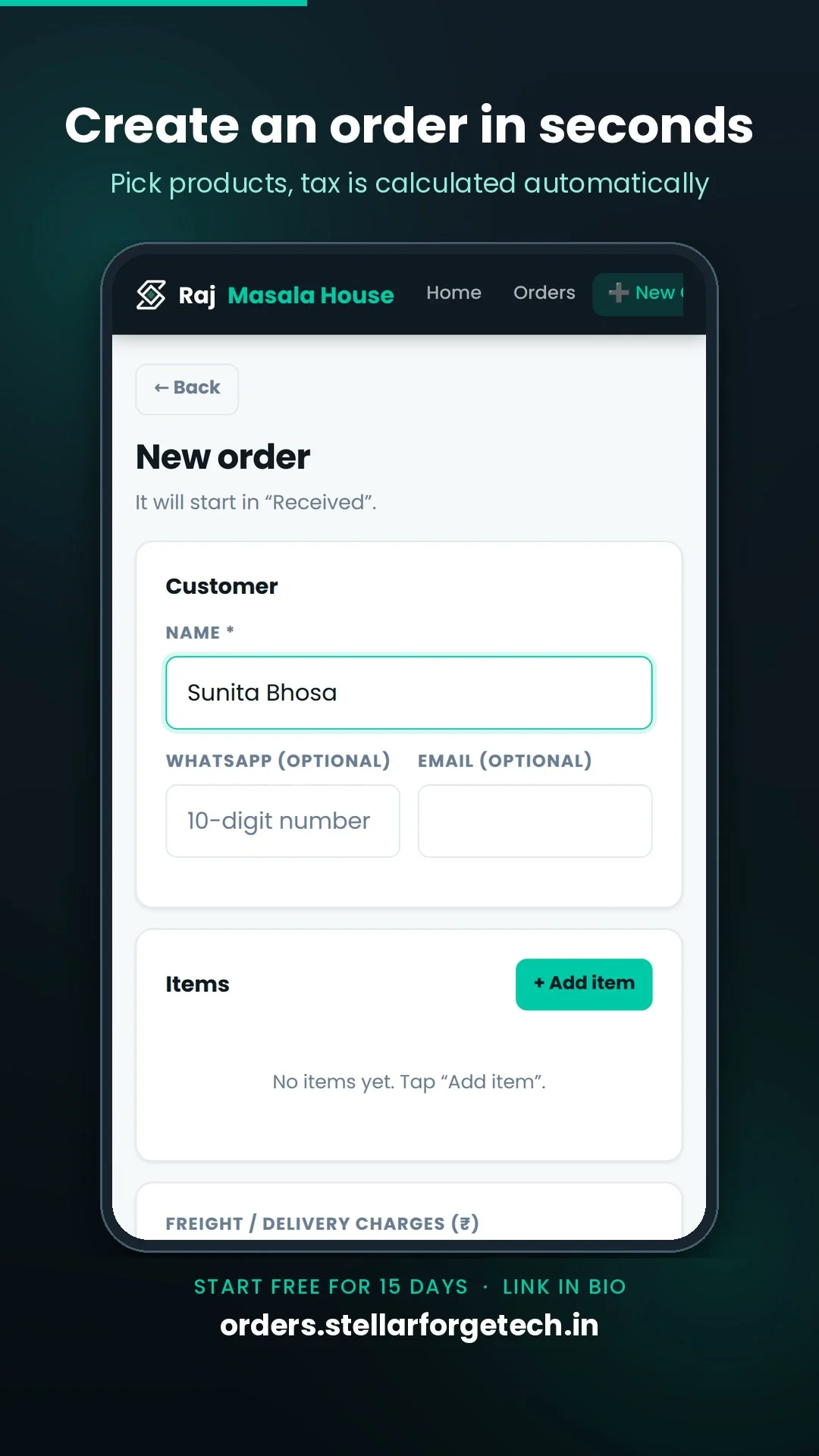
New order in seconds
Customer name, WhatsApp, items, optional freight and payment status — all in one clean form. Starts in “Received” automatically.
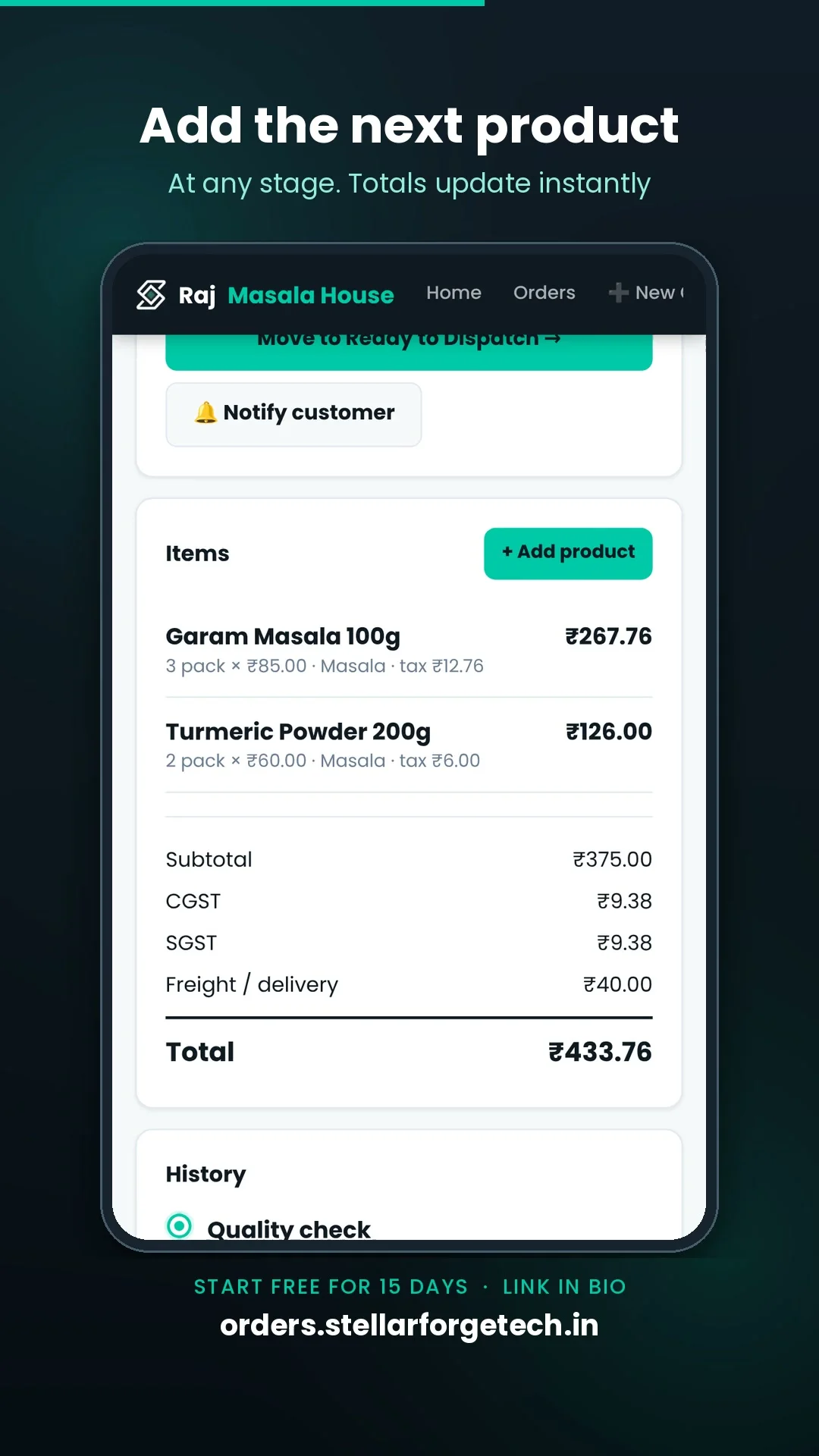
Auto CGST & SGST calculation
Set tax rates per item when you add products. The total including CGST and SGST is calculated live so there are no surprises at billing time.
Customer tracking link
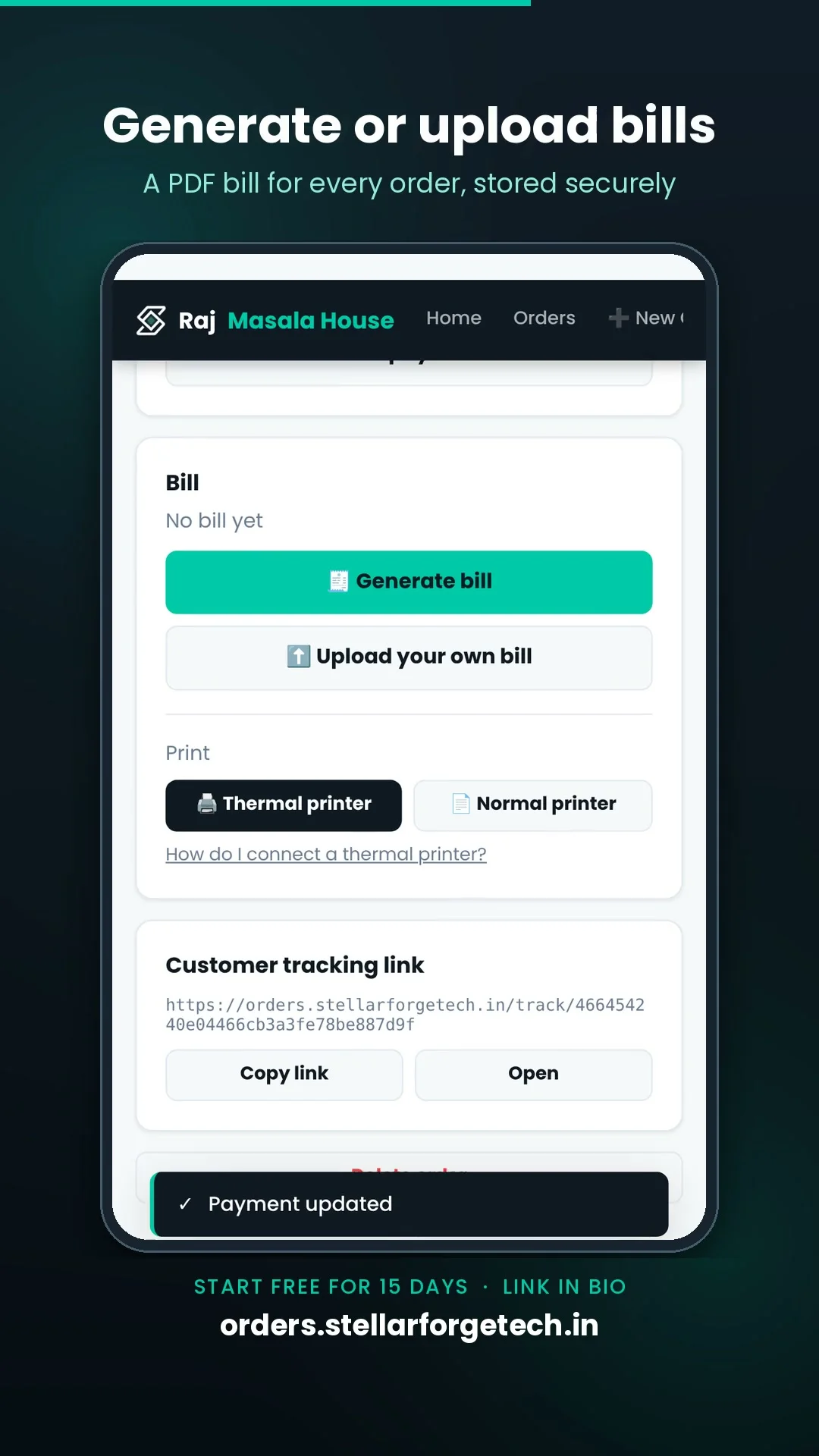
Every order gets a live tracking page. Share it on WhatsApp once — customers see the current stage and can download their bill without calling you.
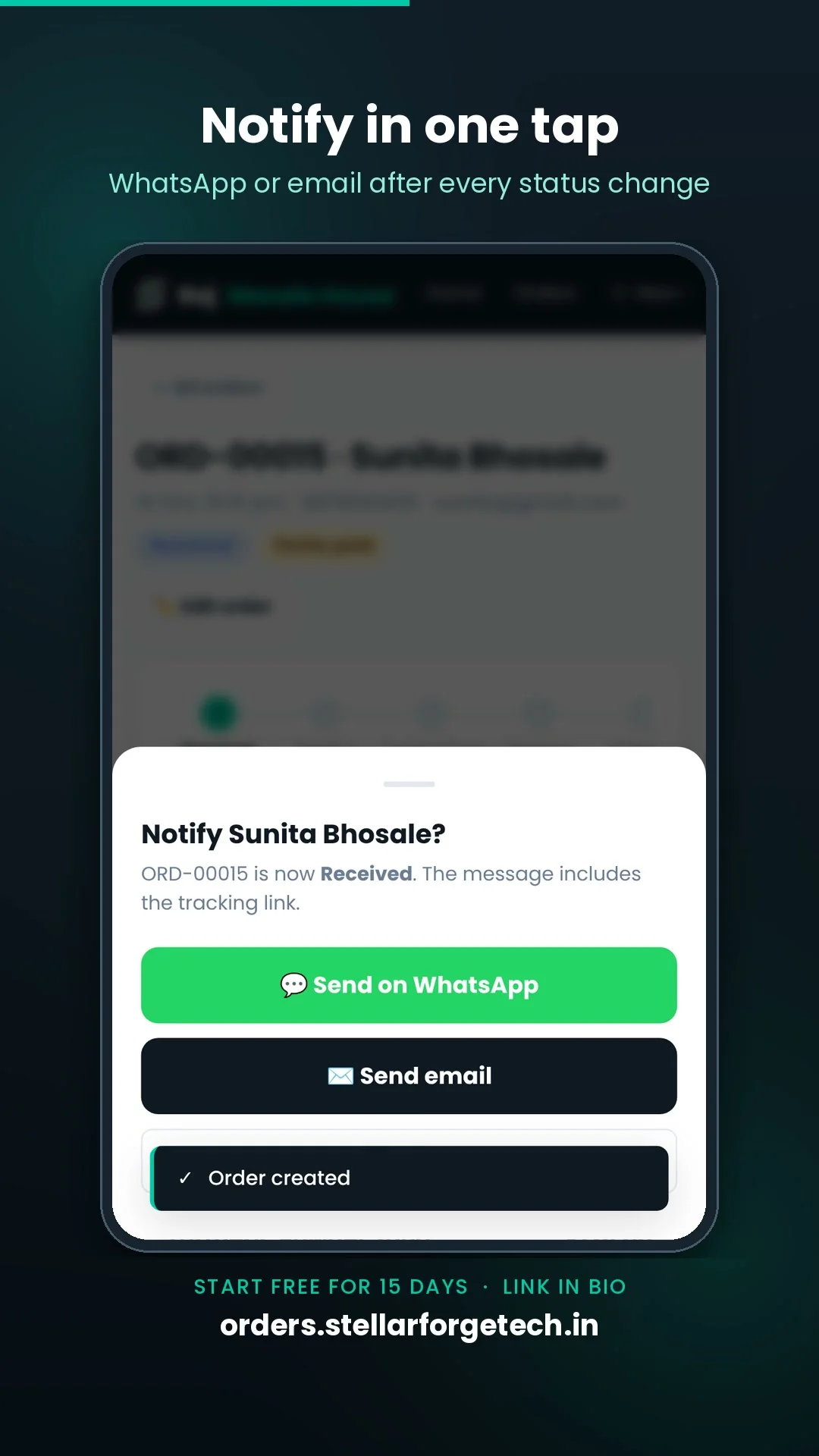
Notify customer in one tap
After moving an order to the next stage, send the customer a WhatsApp message or email with the updated tracking link in one tap.
Payment & balance tracking
Record advance payments. The app shows how much is received and the exact outstanding balance for each order automatically.
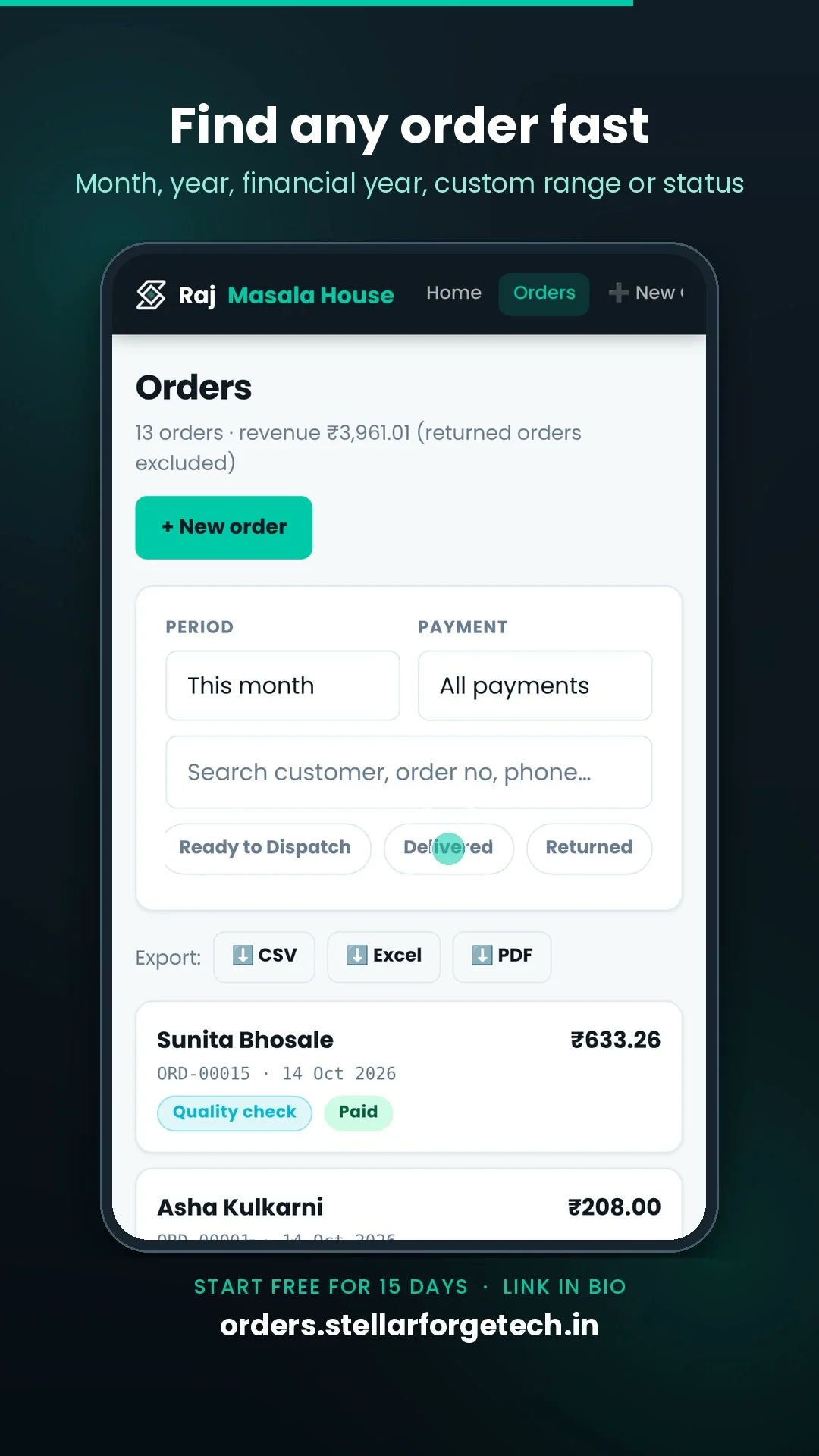
Filter, search & export
Find orders by stage, payment status, date range, customer name or order number. Export to CSV, Excel or PDF in one tap.
Generate & share bill
Generate a bill PDF from any order. Customers can download it from the tracking page, or you can share it on WhatsApp directly from the app.
How it works
From a new enquiry to delivered order in four simple steps.
Create the order
Enter customer details, add items with auto GST, set freight, mark payment status and save. Done in under 30 seconds.
Move through stages
Open the order and tap “Move to next stage”. The app records the exact time at each step automatically.
Customer tracks live
Share the tracking link on WhatsApp once. Your customer opens it anytime to see the current stage — no calls, no chasing.
Collect & close
Record the payment received, view the remaining balance, generate a bill and mark the order delivered.
Simple, transparent pricing
Start free: the Free plan includes 100 orders every month. No card required.
Orders Free
Track every order from received to delivered.
- 100 orders per month included
- ₹0.30 per extra order — set a monthly overage limit so there are no surprises
- Shows a small banner ad
- 1 owner login
- WhatsApp tracking link, 5 stages, payment tracking
- Tax & freight calculation and the standard tracking page
Orders Basic
Everything in Free, with no ads and a higher limit.
- No ads anywhere in the app
- 300 orders per month included
- ₹0.30 per extra order after 300
- 1 owner login
- Everything in Free
Orders Pro
Staff logins, your branding, built to your requirements.
- Staff logins and multi-user access
- Shop branding: your logo, colours and name on the customer tracking page
- Custom order stages
- Custom domain and verified shop badge
- Unlimited or high order limit
- Built to your requirements
Every screen, explained
Six real screenshots taken straight from the app.
Stellar Forge Orders FAQ
Can I rename the order stages?
Yes. All five core stages can be renamed, and you can add up to two extra stages between Processing and Ready to Dispatch.
What are the subscription charges?
Free is ₹0 with 100 orders per month, Basic is ₹29/month (or ₹249/year), and Pro starts from ₹199/month, customised to your shop. Extra orders beyond the free limit cost ₹0.30 each.
What happens after 100 free orders?
You can keep creating orders at ₹0.30 each, and you can set a monthly limit so there are no surprise charges. Or upgrade to Basic for ₹29/month to remove ads and get 300 orders.
Why are there ads on the free plan?
The free plan shows one small banner ad on dashboard pages. Basic and Pro remove ads completely.
Can I get my own branding and staff logins?
Yes, on the Pro plan. It includes your logo, colours and shop name on the customer tracking page, staff logins, custom stages, a custom domain and a verified shop badge.
Can customers track their order?
Yes. Each order has a tracking page you can share with the customer on WhatsApp.
Does it calculate tax?
Yes, tax is calculated automatically on each order.
Can I mark partial payments?
Yes. Payment status can be Unpaid, Partly paid, Paid or Returned back.
Does it calculate GST automatically?
Yes. When you add a product to an order you set CGST % and SGST % once. The tax amount and total including tax are shown before you save the item, so there are no billing surprises.
Can I rename the order stages and field labels?
Yes. From Settings you can rename all five core stages to anything that suits your business (e.g. Received → Order Placed, Ready to Dispatch → Out for Delivery). You can also rename the category field and toggle which fields appear on the new-order form.
Can customers download a bill from the tracking link?
Yes. Once you generate a bill from an order, a “Download bill” button appears on the customer tracking page. Customers can download the PDF without any login.
Can I export my order data?
Yes. From the Orders list screen you can export all filtered orders to CSV, Excel, or PDF in one tap.
Is there a free trial?
Orders has a free plan with 100 orders per month, free forever with limits. No card is needed to start.